01 / PHOTO TO COMIC
Your face. Any era.
Upload a photo and see it reimagined as a comic panel - manga, noir, Ghibli, and 30+ more styles.
Works on web and iOS. No credit card.
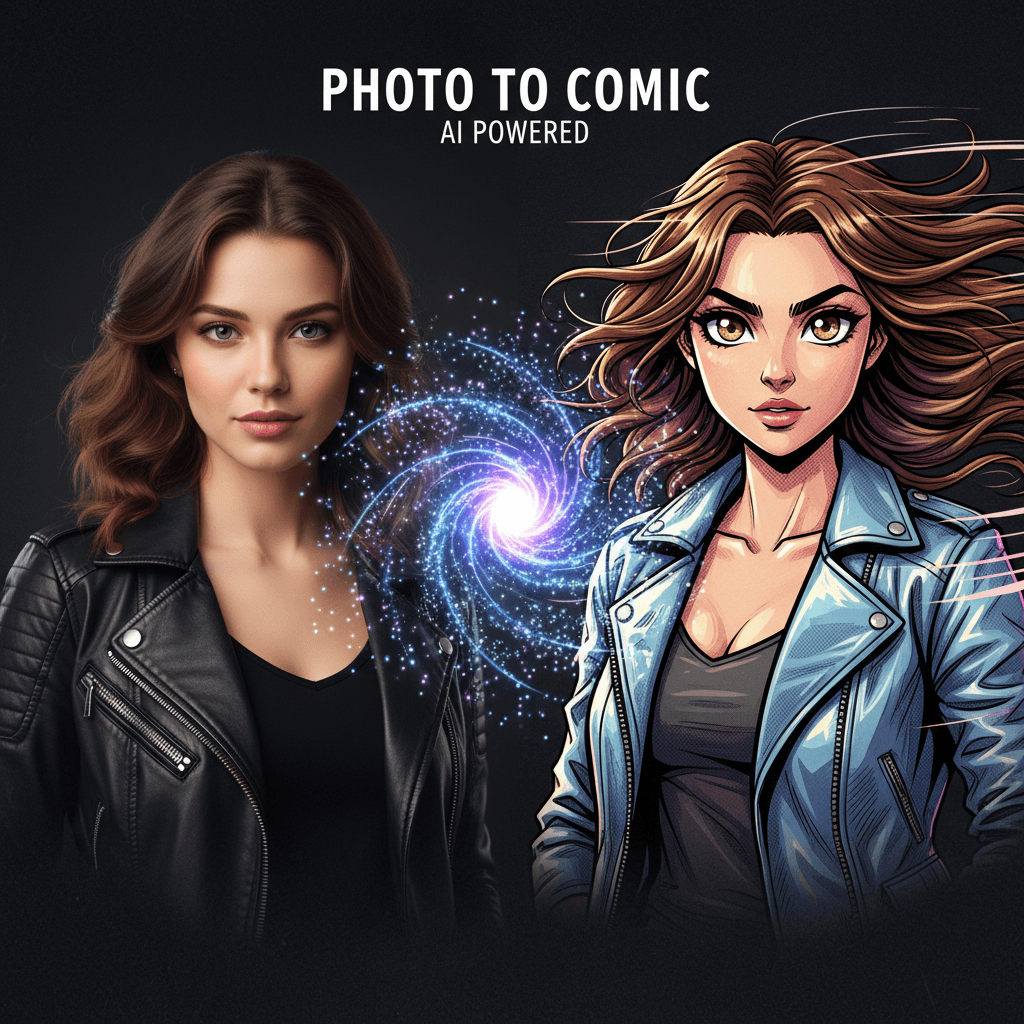
Output sample
Photo to Comic
EXAMPLE OUTPUT / PORTRAIT REIMAGINED AS A STYLED COMIC PANEL
THE PROCESS
From idea to finished piece in 3 steps.
Upload a photo
Start with a selfie, cast portrait, or group shot. Clean lighting helps, but the tool is built to recover mood and detail from everyday images.
Pick a style
Choose the visual era you want to live in. Manga, noir, soft painterly, and cinematic comic treatments each push the same source image in a different direction.
Download or share
Export the final frame at share-ready resolution, post it directly, or drop it into a larger comic or story workflow.
WHY IT MATTERS
Built for creators, not tinkerers.
30+ visual styles. Move from manga to noir, watercolor, or storybook looks without rebuilding your entire prompt.
Faces stay recognizable. The model protects likeness, expression, and mood instead of flattening everyone into the same template.
High-resolution exports. Download assets that hold up across social posts, print tests, posters, and creator decks.
Commercial use with PRO. Ship promo art, creator portraits, and merch-ready variations with a clear upgrade path.
READY WHEN YOU ARE
Pick your canvas.
Start with one tool, then move across the studio as the project grows.